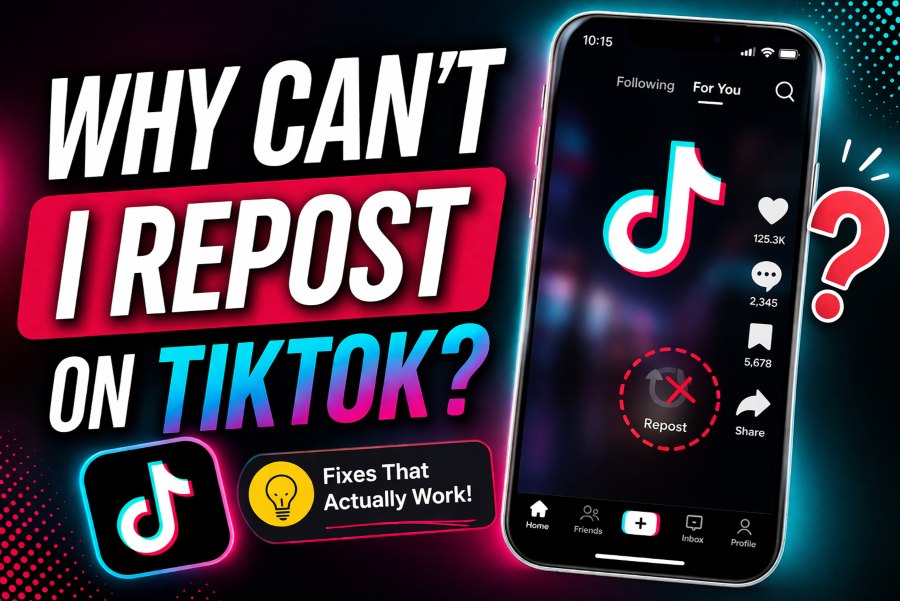
If you’ve opened TikTok and noticed the repost button missing—or worse, the feature not working at all—you’re definitely not alone. Many users run into this issue and end up wondering what went wrong. One day it’s there, the next day it’s gone, leaving you unable to share videos with your followers in the usual way.
The repost feature on TikTok is designed to let you quickly share videos you like with your audience, helping content reach more people without needing to download or re-upload anything. It’s a simple but powerful tool for boosting visibility and engagement.
In this guide, we’ll break down exactly why you can’t repost on TikTok and walk you through easy, proven fixes so you can get the feature working again in no time.
What Is the TikTok Repost Feature?
The TikTok repost feature is a built-in tool that allows users to share videos they like directly with their followers without downloading or re-uploading the content. It’s designed to make content discovery easier and help videos reach a wider audience quickly. Instead of creating duplicate posts, reposting simply boosts visibility within your network while keeping the original creator credited.
What Does the Repost Feature Do?
The repost feature lets you share someone else’s video to your followers with just one tap. When you repost a video, it doesn’t appear on your profile grid but is shown to your followers as recommended content. This makes it a quick and seamless way to engage with trending or valuable videos.
Difference Between Reposting and Sharing
Reposting and sharing may seem similar, but they work differently:
- Reposting: Shares the video internally on TikTok so your followers can see it in their feed.
- Sharing: Sends the video externally (via messages, WhatsApp, Facebook, etc.) or to specific friends inside TikTok.
In short, reposting boosts visibility within TikTok, while sharing distributes content outside or privately.
Where Do Reposted Videos Appear?
Reposted videos appear in your followers’ “For You” feed, often labeled as reposted by you. However, they do not show up on your personal profile or video list. This keeps your profile clean while still allowing you to recommend content to your audience.
Why Did TikTok Introduce the Repost Feature?
TikTok introduced the repost feature to improve content discovery and user engagement. By allowing users to easily share videos they enjoy, TikTok increases the chances of quality content reaching more viewers. It also helps creators gain more exposure without relying solely on the algorithm.
Why Can’t I Repost on TikTok? (Main Causes)
If you’re wondering “why can’t I repost on TikTok?”, the answer usually comes down to a few common issues. The repost feature isn’t always available to everyone, and sometimes technical or account-related factors can prevent it from working properly. Let’s break down the most common reasons so you can quickly identify what’s causing the problem.
1. The Feature Isn’t Available in Your Region
TikTok often rolls out new features gradually instead of releasing them worldwide at the same time. This means the repost feature may still be unavailable in certain countries or regions. If you don’t see the repost button at all, this could be the reason.
Even if other users are talking about it, your location might not have received the update yet. In this case, there’s not much you can do except wait until TikTok officially enables the feature in your region.
2. You’re Using an Outdated App Version
Another common reason is using an older version of TikTok. New features like repost are usually added in app updates, so if your app isn’t up to date, you might miss out.
Outdated versions can also cause features to disappear or malfunction. Regularly updating your app ensures you have access to the latest tools, bug fixes, and performance improvements. If the repost feature isn’t showing, updating TikTok should be one of the first things you try.
3. The Creator Disabled Reposting
Not every video on TikTok can be reposted. Creators have control over their content and can choose to disable the repost option in their privacy settings.
If you don’t see the repost button on a specific video, it’s likely because the creator has turned off reposting for that post. This is completely normal and not something you can override. In this case, the issue isn’t with your account—it’s simply the creator’s preference.
4. TikTok App Glitches or Bugs
Like any app, TikTok isn’t perfect and can sometimes experience temporary glitches or bugs. These issues can cause features like reposting to disappear or stop working unexpectedly.
Sometimes the problem is on your device, while other times it’s a server-side issue from TikTok itself. If many users are facing the same problem at once, it’s likely a temporary outage that will be fixed soon. Restarting the app or waiting a bit often resolves these glitches.
5. You’re Using a Restricted or New Account
If your account is new or has been flagged for unusual activity, TikTok may limit certain features, including reposting. This is part of TikTok’s effort to prevent spam and maintain platform safety.
New accounts sometimes don’t get full access to all features right away. Similarly, if TikTok detects suspicious behavior—like excessive activity in a short time—it may temporarily restrict some functions. In most cases, these limitations are lifted automatically after some time or normal usage.
How to Fix TikTok Repost Not Working (Step-by-Step)
If the TikTok repost feature is missing or not working, the good news is that there are several simple fixes you can try. In many cases, the problem is caused by an outdated app, temporary glitches, or connection issues. Go through the solutions below one by one to improve your chances of getting the repost feature back.
Update Your TikTok App
One of the first things you should do is check whether your TikTok app is updated to the latest version. Older versions may not support newer features, including repost. Open the Google Play Store or App Store, search for TikTok, and see if an update is available. If it is, install it right away. Keeping the app updated not only gives you access to the latest features but also fixes bugs that may affect reposting.
Clear Cache
TikTok stores temporary files in its cache to help the app run faster, but over time this data can become corrupted or overloaded. Clearing the cache can fix small performance issues and help missing features reappear. To do this, open TikTok, go to your Profile, tap the menu icon, then go to Settings and privacy. Scroll down and tap Clear cache. Once done, restart the app and check whether the repost option is working again.
Restart the App or Device
Sometimes the issue is just a temporary app bug. Closing TikTok completely and reopening it can quickly solve minor glitches. If that doesn’t work, restart your phone or tablet. A device restart refreshes background processes and often fixes small software issues that may be interfering with TikTok features.
Log Out and Log Back In
Logging out of your TikTok account and signing back in can refresh your account settings and sync your profile properly with TikTok’s servers. This can be especially helpful if the repost feature disappeared suddenly. Simply go to Settings and privacy, scroll down, tap Log out, then sign back in using your account details. After logging in again, check if the repost button has returned.
Reinstall TikTok
If none of the basic fixes work, reinstalling the app is a good last resort. Delete TikTok from your device, then download it again from the Play Store or App Store. A fresh installation removes corrupted files and ensures you’re running the newest version of the app. Once reinstalled, log in and test the repost feature again.
Check Internet Connection
A weak or unstable internet connection can prevent certain TikTok features from loading properly. If the repost button is missing or unresponsive, switch between Wi-Fi and mobile data to see if that helps. You can also try restarting your router or moving to an area with a stronger signal. Since TikTok relies heavily on a stable connection, improving your network can sometimes solve the issue immediately.
FAQs
Q1: Why don’t I see the repost button?
If you don’t see the repost button on TikTok, it could be due to several reasons. The feature might not be available in your region yet, or you may be using an outdated version of the app. In some cases, the video’s creator may have disabled reposting, which means the option won’t appear at all. App glitches or temporary bugs can also cause the button to disappear.
Q2: Can I repost my own videos?
No, TikTok does not allow you to repost your own videos using the repost feature. The tool is specifically designed for sharing other creators’ content with your followers. If you want to promote your own video again, you can share it manually or re-upload it.
Q3: How do I undo a repost?
Undoing a repost is simple. Go to the video you reposted, tap the share arrow, and then tap “Remove repost.” Once you do this, the video will no longer be shown to your followers as reposted content.
Q4: Is repost available on all devices?
The repost feature is available on most modern smartphones, but it may not appear on all devices or app versions. Availability depends more on your TikTok app version and region rather than the device itself. Keeping your app updated increases your chances of accessing the feature.
Conclusion
If you’ve been asking “why can’t I repost on TikTok,” the issue usually comes down to a few key reasons like regional availability, an outdated app version, creator restrictions, temporary glitches, or account limitations. The good news is that most of these problems are easy to fix with simple steps like updating the app, clearing cache, or checking your internet connection.
Don’t get frustrated—try the fixes one by one, and in most cases, the repost feature will start working again. Also, keep in mind that TikTok frequently updates its platform and rolls out features gradually, so availability can change over time.
To avoid future issues, make sure your app is always up to date and stay active on the platform. Keep exploring new features, and you’ll be able to make the most out of TikTok’s tools, including reposting.