Can You Block Someone on TikTok? Yes, you can block someone on TikTok, and it is one of the simplest ways to protect your account and control who interacts with you on the platform. If you are dealing with harassment, spam, unwanted comments or messages, or even general privacy concerns, TikTok gives users a built-in blocking feature to create a safer and more comfortable experience.
Blocking someone can help stop unwanted interactions and give you more peace of mind while using the app. It is a useful tool for managing your online space, especially if someone is repeatedly bothering you or making you feel uncomfortable.
In this guide, you will learn how to block someone on TikTok, what happens after you block a user, how to unblock someone if needed, and what other TikTok privacy settings you can use to stay in control of your account.
What Does Blocking Someone on TikTok Mean?
Blocking someone on TikTok means stopping a specific user from interacting with your account and content. It is one of the platform’s most useful privacy and safety features, especially if you want more control over who can view your profile, contact you, or engage with your videos. For many users, blocking is a simple way to create a safer and more comfortable experience on the app.
Definition of Blocking on TikTok
When you block someone on TikTok, that person is restricted from interacting with your account in normal ways. They cannot easily view your profile, send you messages, comment on your content, or follow you. This makes blocking an effective privacy and safety tool for managing unwanted interactions.
Why Users Block People on TikTok
People choose to block others on TikTok for different reasons. Some want to stop harassment or bullying, while others want to avoid spam accounts or fake profiles. Blocking can also help reduce unwanted profile visits and give users a greater sense of safety while using the app.
When Blocking Is Better Than Ignoring
Ignoring someone may work in minor situations, but blocking is often the better choice when a person repeatedly comments, sends unwanted messages, or behaves in a way that creates discomfort or crosses personal boundaries.
How to Block Someone on TikTok (Step-by-Step)
If you are wondering how to block someone on TikTok, the process is quick and easy. TikTok gives users several ways to block accounts, whether you are dealing with harassment, spam, or unwanted interaction. You can block a person directly from their profile, through the comments section, or sometimes even block multiple accounts at once. This makes it easier to manage your account and keep your experience on the app more comfortable.
Method 1: Block Someone From Their Profile
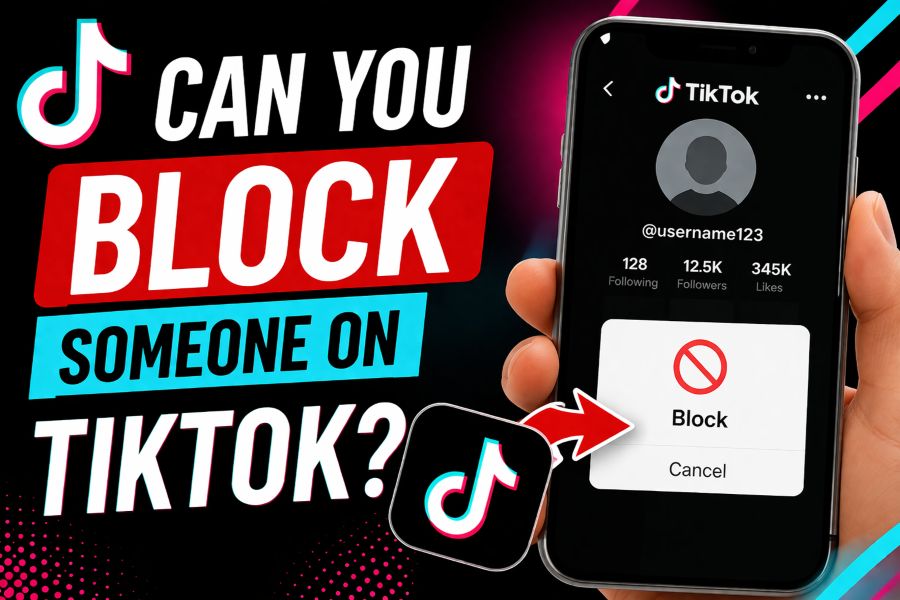
The easiest way to block someone is through their TikTok profile. First, open TikTok and go to the profile of the person you want to block. Then tap the Share/Arrow icon or the three-dot menu, depending on your device. From the menu options, select Block and confirm your choice. Once done, that account will no longer be able to interact with you normally.
Method 2: Block From Comments
You can also block someone from the comments section. Open a video where the user has left a comment. Press and hold the comment, or tap the options icon if it appears. Then choose Manage multiple comments or the related user option, and tap Block account.
Method 3: Block Multiple Accounts
TikTok may also let users block several accounts at once through comment management tools. This is especially helpful for creators dealing with spam, bullying, or repeated unwanted comments from multiple profiles.
Quick Tip
TikTok’s interface may look slightly different depending on your device or app version, but the blocking steps are usually very similar.
What Happens When You Block Someone on TikTok?
When you block someone on TikTok, that user loses the ability to interact with your account in normal ways. Blocking is designed to give you more control over your privacy and help prevent unwanted attention, messages, or engagement. It is one of the most effective tools for limiting contact with someone who is bothering you, spamming your content, or making you feel uncomfortable on the app.
They Can No Longer Interact With You
Once you block a person on TikTok, they cannot follow you, send you direct messages, or comment on your posts. They also cannot view your content in the usual way through your profile. This helps reduce unwanted interaction and creates a safer experience while using the platform.
Will They Be Notified?
TikTok generally does not send a direct notification telling someone that they have been blocked. However, the person may figure it out on their own if they can no longer find your profile easily or interact with your videos and account as before.
Can They Still See Your Old Comments or Videos?
Blocking mainly limits access moving forward. In some cases, old comments, previous interactions, or cached content may still appear temporarily, but direct engagement with your profile and videos becomes restricted once the block is in place.
Can a Blocked Person Find You Again?
A blocked user may still try searching for your username, but their access to your profile, content, and interaction options will remain limited after the block.
How to Unblock Someone on TikTok
If you change your mind after blocking someone, TikTok also gives you an easy way to remove that restriction. The unblocking process only takes a few steps and can be done either from the person’s profile or through your privacy settings. This is useful if you blocked someone by mistake or want to allow interaction again.
1. Steps to Unblock
To unblock someone on TikTok, go to the blocked user’s profile if you can find it through search or your account activity. Once you open their profile, tap the menu or Unblock button. Confirm the action if TikTok asks you to do so. After that, the user will be removed from your blocked list.
2. Another Way to Find Blocked Accounts
You can also unblock users through your settings. Open Settings and Privacy, then go to Privacy. Look for Blocked accounts to see the full list of users you have blocked. Select the account you want to remove and tap Unblock.
3. What Happens After Unblocking?
After unblocking someone, they are not always added back as a follower automatically. In many cases, you may need to follow each other again if you want to reconnect on TikTok.
FAQ: Can You Block Someone on TikTok?
Many users have questions about what blocking actually does on TikTok and how it affects their account. While the feature is simple to use, it helps to understand what happens before and after you block someone. Here are some of the most common questions people ask.
Can you block someone on TikTok without them knowing?
Yes, TikTok does not usually send a direct notification to tell someone they have been blocked. However, they may figure it out if they can no longer find your profile or interact with your content.
Can a blocked person still see my videos?
Not through normal access to your account. However, if your content is public, someone may still be able to view it from another account if they choose to look for it.
Can I block someone who does not follow me?
Yes, you can block any TikTok user, even if they do not follow your account.
Can I unblock someone later?
Yes, you can unblock someone at any time through their profile or by going to your Blocked accounts list in TikTok’s privacy settings.
Does blocking delete old messages?
Blocking mainly stops future interaction. Old message history may still appear in some cases, but the blocked user will not be able to continue messaging you normally.
Is blocking the same as reporting?
No, blocking and reporting are different. Blocking limits contact between you and another user, while reporting alerts TikTok to possible harassment, spam, abuse, or another rule violation.
Conclusion
Can You Block Someone on TikTok? Yes, TikTok makes it easy to block users and take more control over your experience on the app. The blocking feature is simple to use, helps improve your privacy and safety, and can quickly stop unwanted interactions. If you ever change your mind, unblocking someone is also possible at any time through your settings or the user’s profile.
Along with blocking, TikTok also offers extra privacy tools like comment filters, private account settings, and message controls to help strengthen your account protection. If someone is making your experience uncomfortable, do not hesitate to use these features. Can You Block Someone on TikTok is a common question, and the answer is yes — you can, and you should use TikTok’s privacy controls confidently whenever needed.